


Back to article
3348
Muting the microphone
Your headphones are equipped with controls so you can quickly mute or unmute the microphone while on a call.
To mute or unmute a phone call:
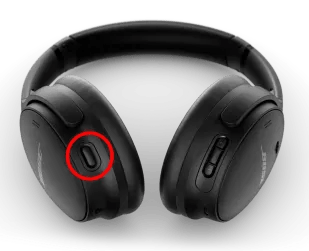
While on a call, double-press the Action button on the back of the left earcup.
A voice prompt announces the current state of the microphone; Muted or unmuted. The voice prompt function must be turned on in the app to hear when the microphone is muted.
A voice prompt announces the current state of the microphone; Muted or unmuted. The voice prompt function must be turned on in the app to hear when the microphone is muted.